Free Chrome extension for Bandcamp

Find your music twin
on Bandcamp.

TasteTwins scans Bandcamp albums and surfaces the fans who have the most records in common with you. Their collection is your next dig.

Free plan available · No credit card required to install

▶ 15-SECOND DEMO
500Fans scanned per album
1 clickOn any album page
100%Runs in your browser
$0To get started
How it works

Three steps to your taste twin.

Navigate to any Bandcamp album, queue it up, and let TasteTwins do the heavy lifting in the background.

01 — Any album

Browse to any album.

The TasteTwins button appears on every Bandcamp album or track page. It auto-detects the artist and title, so there's no copy-pasting.
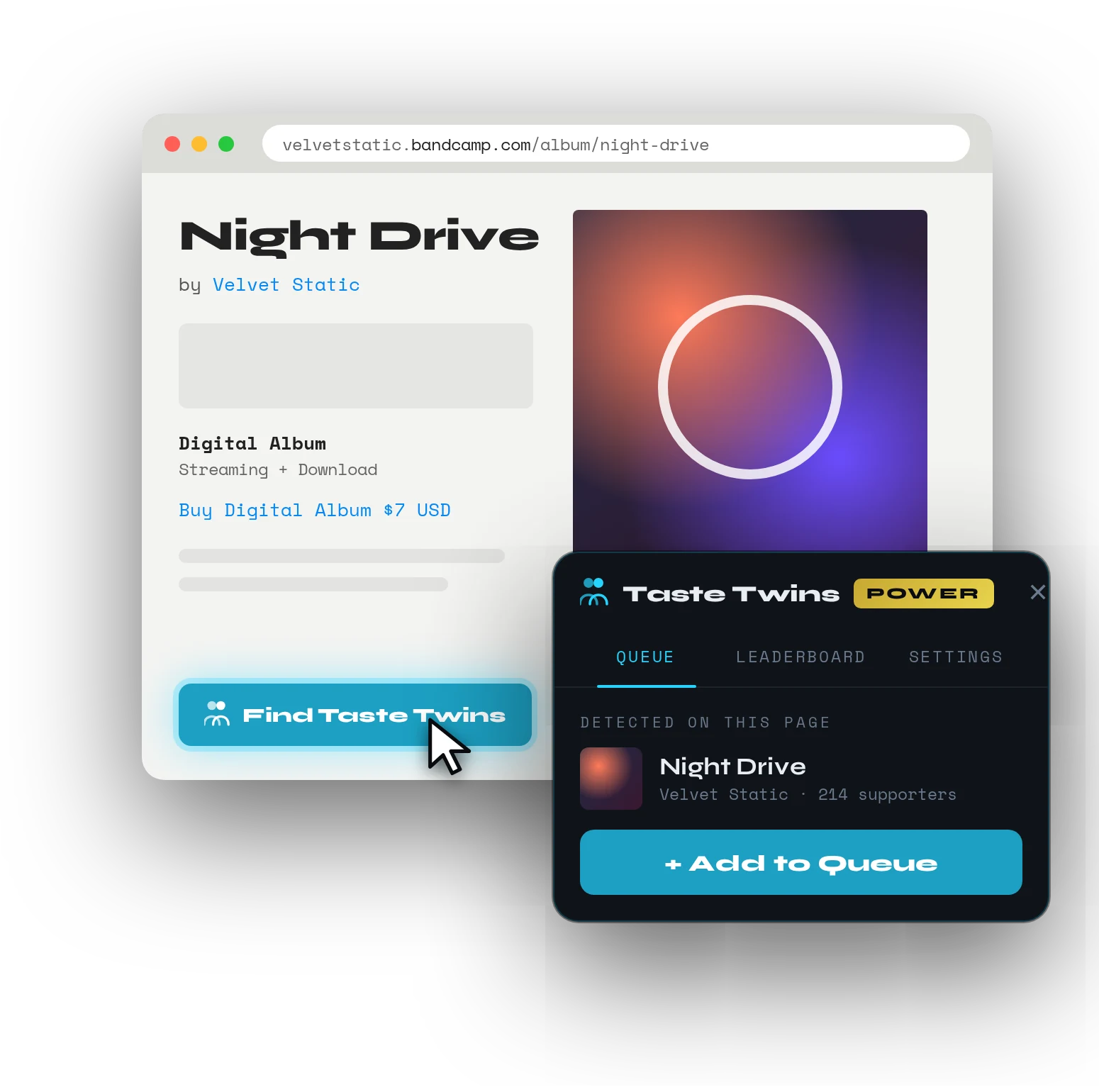
A Bandcamp album page with the Find Taste Twins button and the extension popup offering Add to Queue
02 — Scan

Queue & scan in the background.

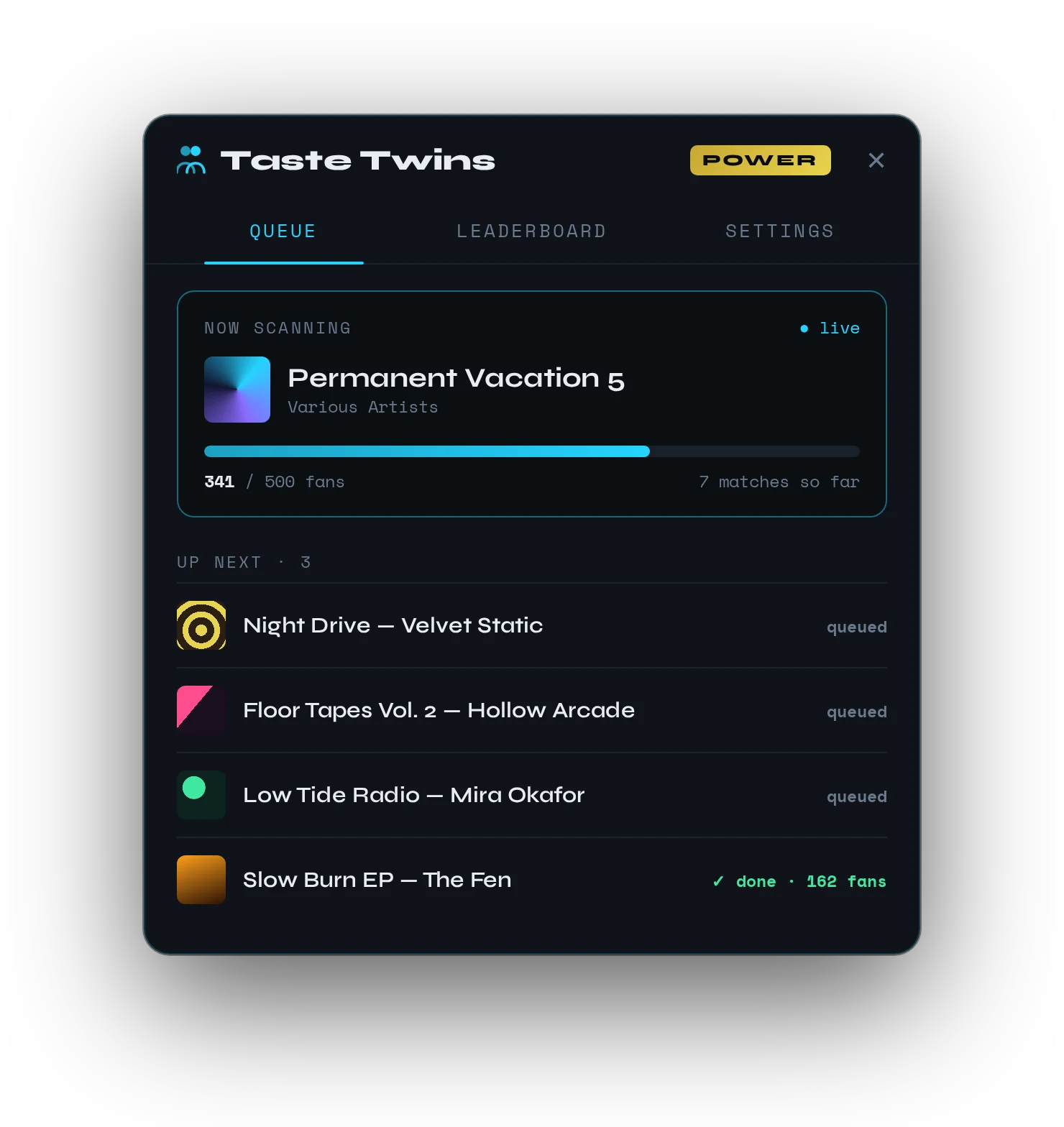
Add as many albums as you want. The extension silently scans up to 500 fans per album while you keep browsing.

  • Fan collections are cached for 1 hour
  • Keep browsing while it works
The TasteTwins Queue tab showing an album being scanned with a progress bar and more albums up next
03 — Rank

Rank your TasteTwins.

The leaderboard sorts fans by shared records and overlap %. Fans who appear across multiple albums build up their scores, and your leaderboard is saved between browser sessions.
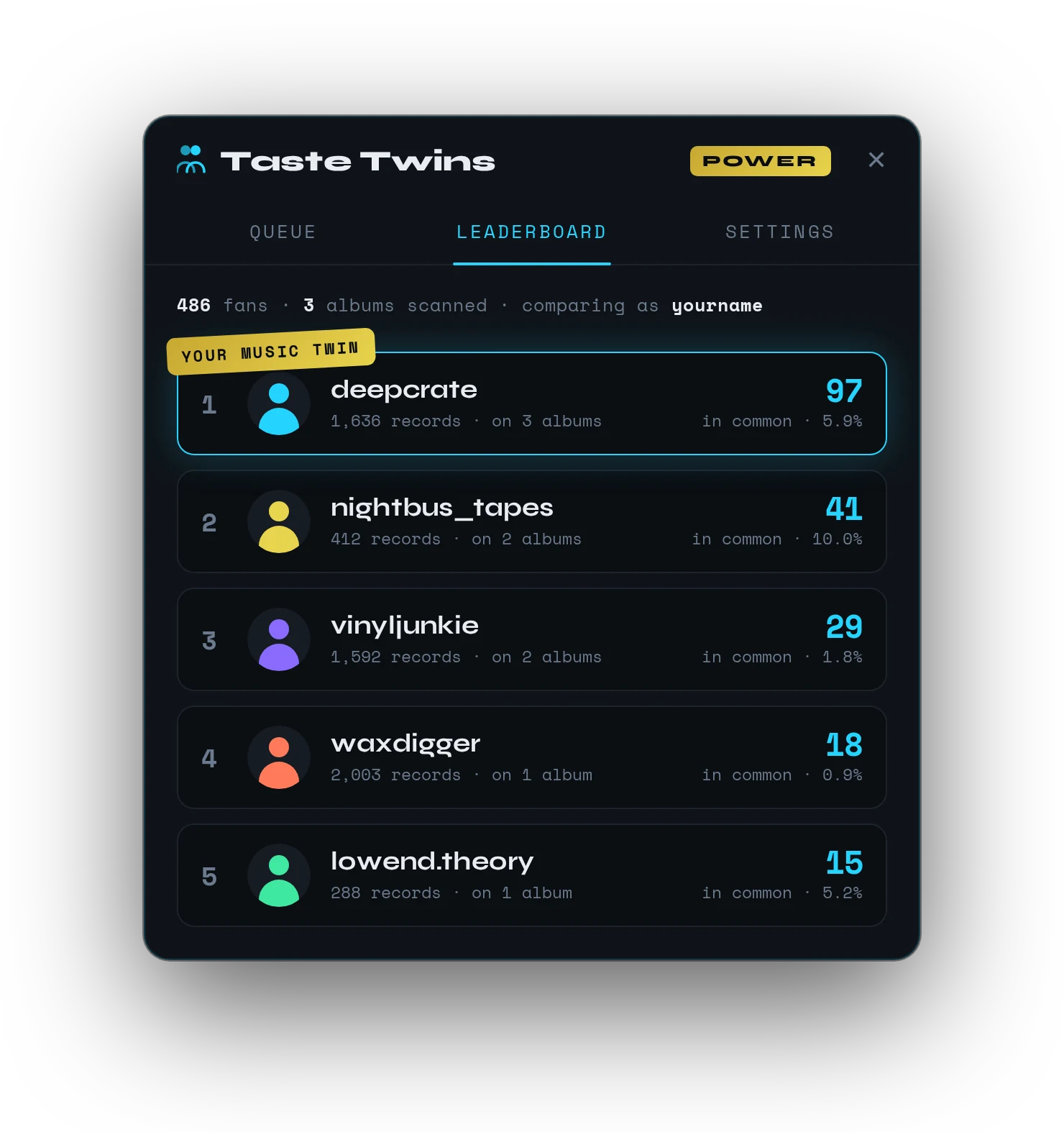
The TasteTwins leaderboard ranking fans by records in common, with the top fan marked Your Music Twin
The science

% overlap tells the real story.

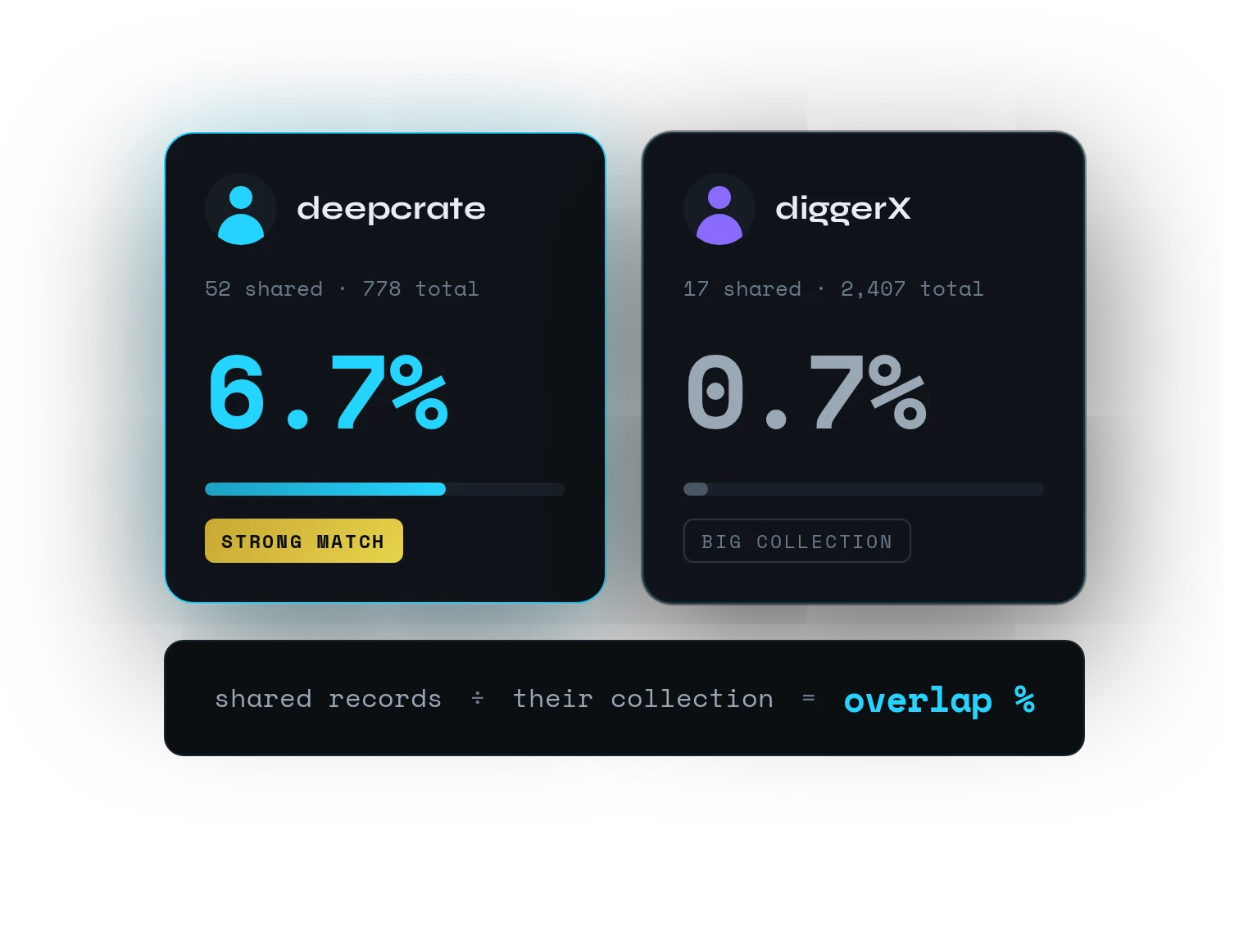
13 shared records out of 50 is a completely different relationship than 13 out of 2,400. Raw counts are misleading. TasteTwins shows you both so you can judge at a glance.

shared records÷total collection=overlap %

The leaderboard sorts by raw shared count by default. The % is shown on every card so you can judge depth of overlap at a glance.

Two fans compared: deepcrate at 6.7% overlap, a strong match, and diggerX at 0.7%, a big collection
Features

Built for serious diggers.

Every feature is designed for Bandcamp power users who want more than what the platform shows you.

Unlimited Queue

Add as many albums as you want. Scans run in the background, so there's no waiting and no blocked browsing.

Persistent Leaderboard

Fans accumulate scores across all albums you've scanned. The leaderboard survives browser restarts and updates live.

Filter by Collection Size

Set a minimum collection size to compare only against serious collectors. Raise it to 100+ to eliminate casual fans from your results.

Smart Caching

Fan data is cached for 1 hour. Re-scanning an album is instant and doesn't hammer Bandcamp's servers.

Zero Data Leaves Your Browser

All processing is local. The extension only talks to Bandcamp directly. Nothing is sent to any third-party server, ever.

Auto-Detection

TasteTwins reads album titles, artists, and shared counts directly from Bandcamp pages. No copy-pasting, no API keys needed.

Private by design

Tuned by you.

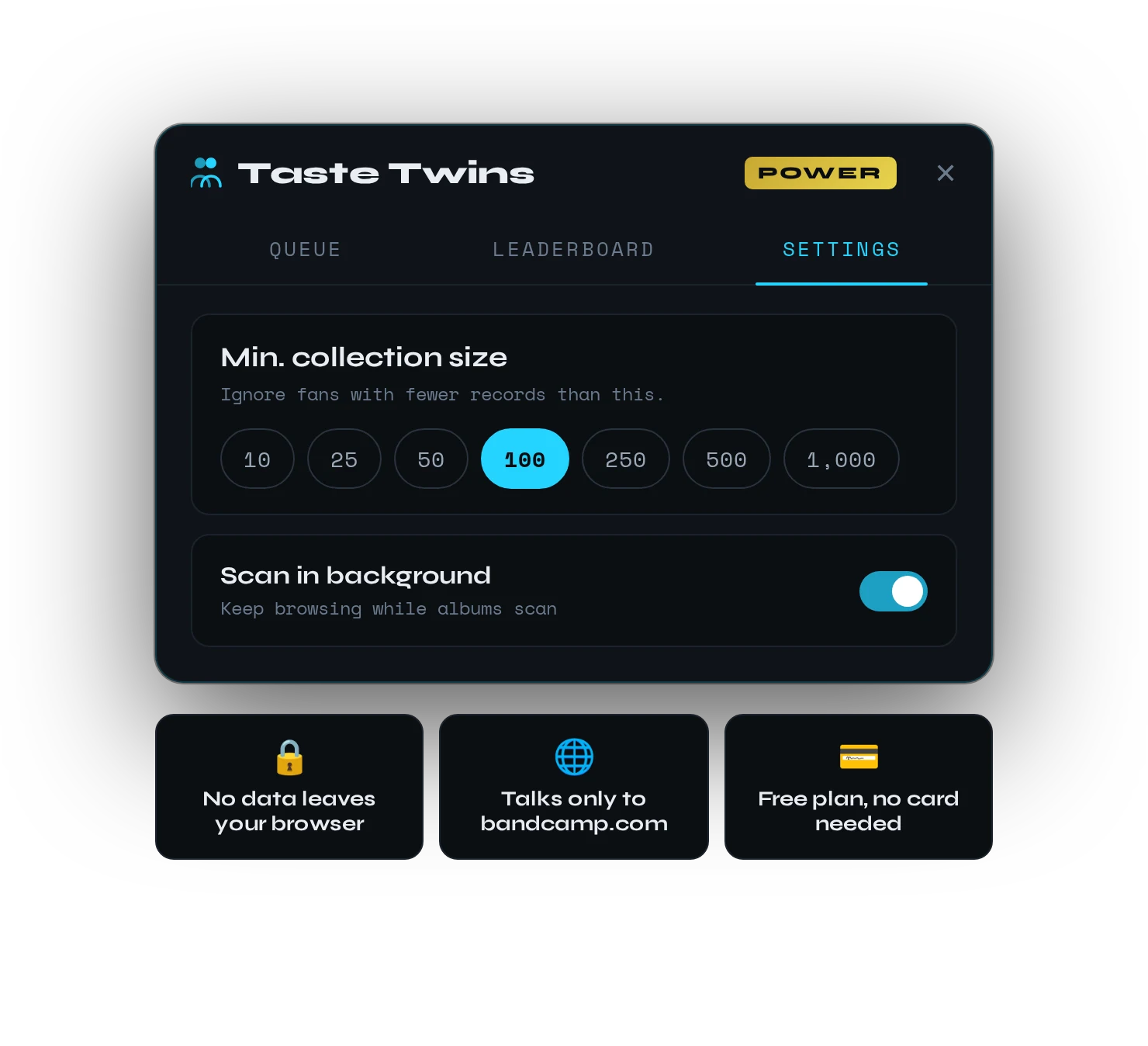
Everything runs in your browser and talks only to Bandcamp. Raise the minimum collection size to compare only against serious collectors.

The TasteTwins Settings tab with minimum collection size options and privacy highlights
Pricing

Start free.

Install free and upgrade anytime. No credit card needed to get started.

Monthly Annual Save 44%
Free
$0
forever
  • 1 album scan at a time
  • Up to 100 fan scans per day
  • Leaderboard & % overlap scoring
  • Unlimited album queue
  • Unlimited daily scans
  • Background scanning
Add to Chrome — Free

Cancel anytime — no long-term commitment required.

Zero data leaves your browser
Stored only in chrome.storage.local
Requests go only to bandcamp.com
FAQ

Common questions.

Something else? Email tastetwinrecords@gmail.com.

Do I need a Bandcamp account?
You need to be logged into Bandcamp for the extension to read your shared items count. Bandcamp shows "X items in common" on fan profiles when you're logged in, and TasteTwins reads this automatically.
Does it send my data anywhere?
No. All processing happens locally in your browser. The extension only talks directly to Bandcamp. Nothing is sent to any third-party server, including ours. Data is stored in chrome.storage.local on your machine.
What's the difference between Free and Power?
Free lets you scan 1 album at a time with a cap of 100 fan scans per day, which is great for casual use. Power gives you an unlimited album queue, unlimited daily scans, and up to 500 fans scanned per album, which is ideal if you're doing serious crate-digging research.
How does the Power subscription work?
Choose monthly or annual billing through Stripe's secure checkout. You can cancel anytime, and your Power features stay active until the end of your billing period.
How does the % overlap score work?
It's simple: shared records ÷ their total collection = % overlap. Someone with 13 shared records out of 50 total (26%) is a much stronger taste match than someone with 13 out of 2,400 (0.5%). The % makes this instantly clear without you having to do the math.
From the blog

Dig through people.

All guides →
TasteTwins

Find your music twin on Bandcamp.

Add to Chrome — Free
tastetwins.net