To dig for DJ tracks on Bandcamp, start from three tracks that recently worked in your sets, open their release pages, and go through the collections of the people who bought them. Then sweep your labels and tags for new arrivals, wishlist anything with potential, and buy lossless files. Twenty focused minutes a few times a week beats one long, aimless session.
Charts and promo pools tell you what everyone else is about to play. Bandcamp is where you find what they aren't: small-label 12"s, self-released edits, regional scenes and records that never make it to the big stores. The catch is that Bandcamp gives you very little help finding them. There's no chart that matters and no feed tuned to your sets.
What it does have is people. Every release shows who bought it, and a lot of those buyers are DJs and serious collectors. This routine is built around that.
Why DJs dig on Bandcamp
- Records you won't find elsewhere. Plenty of small labels and artists release only on Bandcamp.
- Lossless downloads. Buyers can usually choose formats like WAV, AIFF and FLAC as well as MP3.
- The money goes to the people who made it. Artists and labels set their own prices, and Bandcamp Friday waives Bandcamp's share several times a year.
- Other DJs leave a trail. Many DJs keep their Bandcamp collections public. Their purchases are a running list of what they're playing.
The 20-minute routine
Minutes 0–3: Pick three seeds
Choose three tracks that worked on a dancefloor in the last month, ideally from different corners of your sound. Not your all-time favorites. Tracks that reflect where your sets are heading right now. Open each release on Bandcamp.
Minutes 3–12: Work the buyers
Under each release, the supported by section shows the fans who bought it. Click through them and look for people who own several records you also own. When you find one, sort their collection by newest and listen to the first minute of anything you don't know.
Fans who show up on more than one of your seeds are the ones to follow. Their purchases will start appearing in your Bandcamp feed, which turns step two into something that happens on its own over time.
Minutes 12–17: Sweep labels and tags
Check the labels behind your seeds for new releases. Then open one or two tags you play, sort by new arrivals, and skim. Specific tags work better than broad ones: a subgenre plus a city, or a style plus "vinyl".
Minutes 17–20: Triage
Go back through your wishlist and decide. Buy what you'd play this month. Leave the rest wishlisted and revisit it on the next Bandcamp Friday. Write one line next to anything you buy about where you found it.
Which file format to buy
For playing out, buy lossless. The main choices are:
- AIFF: lossless and handles tags and artwork well in most DJ software. A safe default.
- WAV: lossless and universally supported, but tag support is patchy across software.
- FLAC: lossless and smaller, but check that your software and hardware support it before you build a library around it.
- MP3 320: fine for previewing and small sets, but not ideal for big systems.
Bandcamp lets you re-download your purchases in other formats later, so you're not locked in if your setup changes.
Keeping your finds organized
- Import new buys into a single "new" playlist and only move them into your main crates after you've played them through once.
- Tag tracks with where they came from, such as the fan or label that led you to them. Over time you'll see which sources pay off.
- Keep a short list of the diggers you follow and check their collections before big gigs.
Speeding up step two
Step two is where the best tracks come from, and it's also the slowest part. A release can have hundreds of buyers, and checking each one by hand eats most of your 20 minutes.
TasteTwins is a free Chrome extension that does that part for you. Click the TasteTwins button on each of your seed releases and it scans their buyers in the background. It then ranks fans by how many records they share with you, so the DJ who bought all three of your seeds rises to the top.
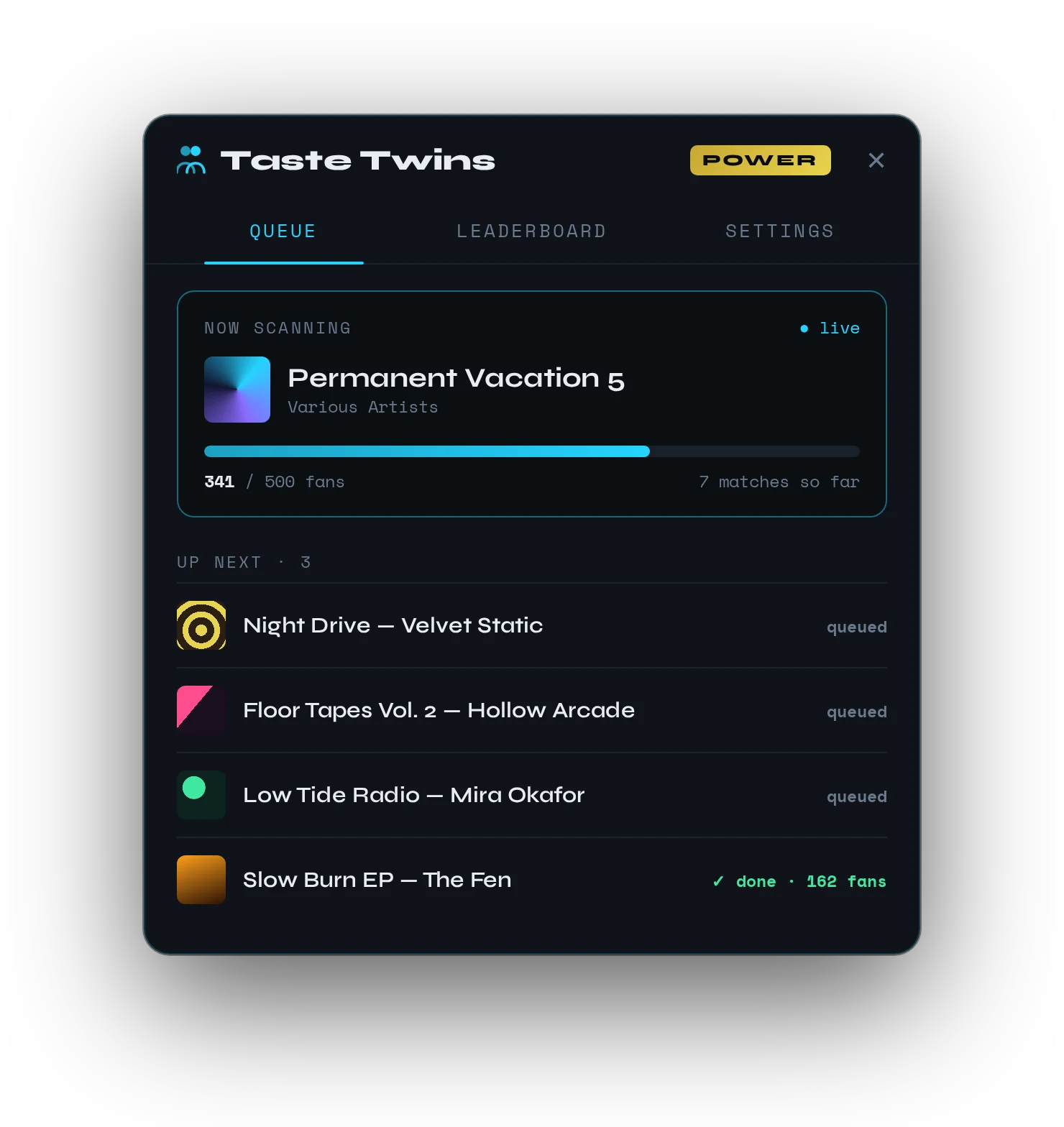
There's no recommendation engine involved. TasteTwins doesn't guess what you should play. It shows you the real people whose collections overlap with yours, and you go dig through their crates like you always would.
FAQ
Is Bandcamp good for DJs?
Yes, especially for underground and independent music. Many releases are Bandcamp-only, downloads come in lossless formats, and other DJs' public collections are a great source of tracks.
Can you DJ with music bought on Bandcamp?
Yes. Once you buy a release you can download it in formats like AIFF, WAV, FLAC or MP3 and import it into your DJ software like any other file.
How do DJs find underground music?
Mostly through people: labels they trust, other DJs' sets and collections, record shops and radio. On Bandcamp, following the buyers of tracks you already play is one of the most reliable methods.